Octopus Remote MCP connects the AI assistants you use in your day-to-day work to your Octopus Deploy instance. It gives those assistants access to Octopus tools and information through a standardized protocol.
Model Context Protocol
Model Context Protocol (MCP) is an open standard that connects AI assistants, such as Claude Code and ChatGPT, to the systems and services you own. These connections let assistants retrieve information and perform tasks across those systems and services.
Octopus Remote MCP server
The Octopus Remote MCP server provides tools that let an AI assistant inspect and query resources in your Octopus instance and help diagnose problems. This turns your assistant into a DevOps partner that can work with the deployment information already in Octopus.
The remote server runs in your Octopus Deploy instance, so you don’t need to install the MCP server locally or manage server versions. New tools and features will be delivered through the remote server.
The local Octopus MCP server will remain available for the foreseeable future, but it won’t receive new features.
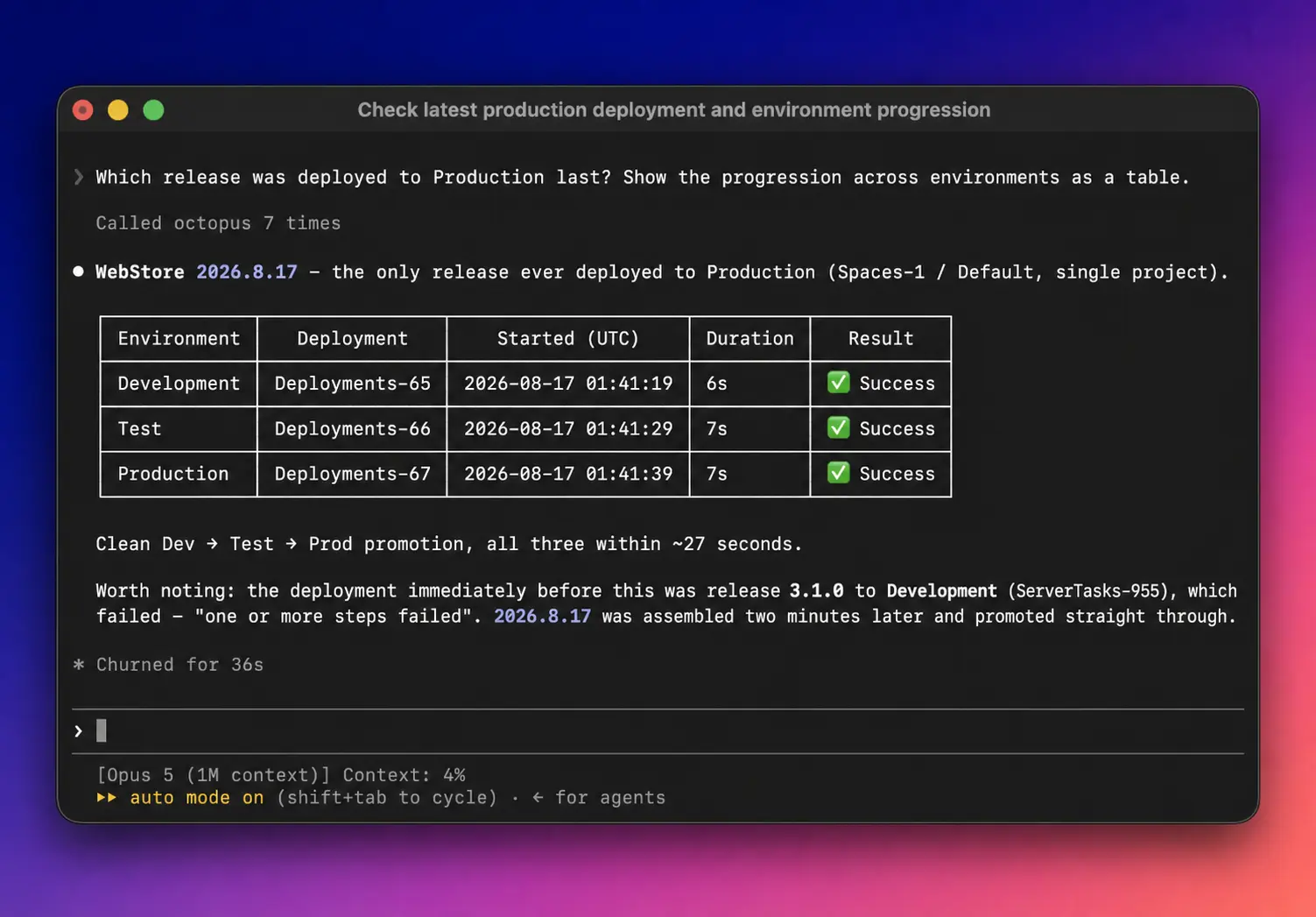
Available tools
Octopus Remote MCP exposes a different set of tools from Local MCP. Its tools have two layers:
- Dedicated tools for common operations, such as
find_spacesandfind_projects. - Contract tools that provide access to selected Octopus REST API operations. The AI assistant uses
search_contractsto find a contract,describe_contractto inspect its schema, and thenexecute_queryfor read operations orexecute_commandfor operations that make changes.
Octopus Remote MCP initially supports a selected set of core Octopus features. We’ll add more operations to the contract tools over time.
Getting Started
Requirements
- An Octopus Deploy instance that can be accessed over HTTPS
- An Octopus Deploy API key. We recommend creating a dedicated Agent Service Account and generating an Agent API key for it. This gives the MCP server its own identity, limits its permissions, and identifies its activity in the audit log and on the API Keys page.
Set the OCTOPUS_API_KEY environment variable to your Agent API key, then run:
claude mcp add --transport http \
  --header "X-Octopus-ApiKey:${OCTOPUS_API_KEY}" \
octopus-deploy https://your-octopus-instance.com/mcpOr in JSON format:
"mcpServers": {
  "octopus-deploy": {
    "type": "http",
    "url": "https://your-octopus-instance.com/mcp",
    "headers": {
      "X-Octopus-ApiKey": "${OCTOPUS_API_KEY}"
    }
  }
},OAuth Support
OAuth authentication flow is planned for a future release.
Security
The Octopus MCP server operates within the same security boundary as our Rest API - user permissions still apply the same way.
Governance
Use dedicated Agent API keys and Agent Service Accounts for agents connecting to your Octopus instance. These make agent actions identifiable and filterable in the audit log.
Configuration
Optionally, both the Remote MCP and the Local MCP can be disabled from Configuration -> Settings -> MCP Controls page.
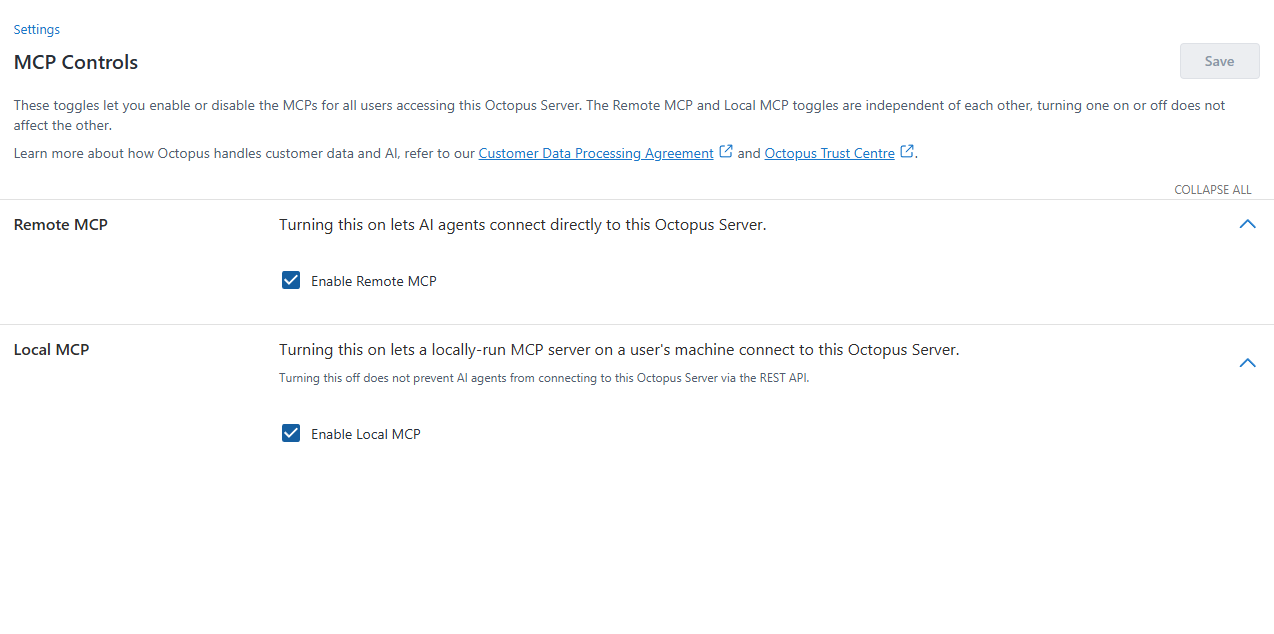
Disabling the Local MCP will block incoming requests with the specific user agent string. A rogue AI agent could potentially replace this string with a different value and bypass the restriction.